Anúncios
Waiting for your SASSA grant can be stressful. Seeing a status like “Pending” or “Declined” without a clear explanation only makes it worse.
This guide will help you understand your SASSA grant status check results. We’ll show you exactly how to fix common problems.
You will learn what to do for pending applications, declined grants, and identity verification issues. Let’s get you the answers you need.
Why Checking Your SASSA Status is Crucial
Regularly checking your SASSA grant status is not just about seeing if you’ve been approved. It’s about staying in control of your application.
The status tells you if SASSA needs more information or if there’s a problem you need to fix. Ignoring it can cause long delays.
Think of it as a direct line of communication with SASSA. It shows you exactly where your application is in the system at any given moment.
Important: SASSA will not always call you if there is an issue. It is your responsibility to check the status online.
How to Perform a SASSA Grant Status Check Online
Checking your status is simple and can be done from your phone. You just need your ID number and the phone you used to apply.
Follow these official steps carefully. Using unofficial websites can put your personal information at risk.
- Visit the Official Portal: Go to the SASSA SRD website at srd.sassa.gov.za. This is the only official link.
- Find the Status Section: Scroll down to the section labelled “South African ID Holders”. Click the yellow button that says “Click here to check online”.
- Enter Your Details: You will be asked for your South African ID Number and the cell phone number you registered with.
- Submit and View: Click the “Submit” button. The page will then display the status of your grant for each month.
Always double-check that you are on the correct government website. The URL should always end with “gov.za”.
Understanding Your SASSA Status: What Each Message Means
The status message can be confusing. Let’s break down what the most common ones mean for you and your application.
Knowing the meaning is the first step to solving any problem. Here’s a simple guide to each status.
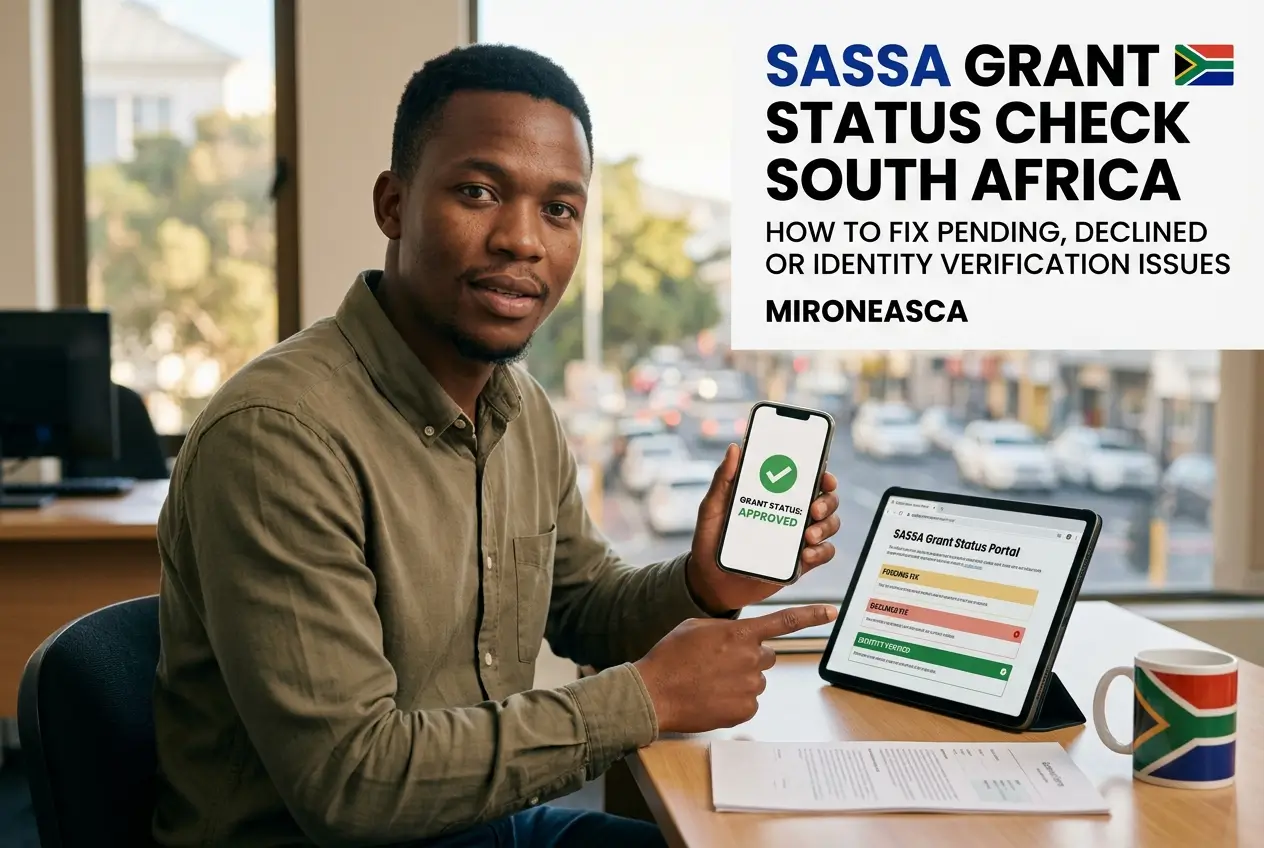
- Pending: SASSA has your application, but verification for that month is not complete. You need to wait and check again later.
- Approved: Good news! Your grant is approved for that month. The status will also show your pay day if one has been processed.
- Declined: Your application was unsuccessful for that month. A reason will be provided, which you can use to appeal.
- Bank Details Pending: You need to submit or confirm your banking details so SASSA can pay you. You cannot be paid without this.
- Identity Verification Failed: The personal details you provided do not match the records at the Department of Home Affairs.
- Reapplication Pending: You have successfully reapplied, and your details are being verified for the new cycle.
Solving the “Pending” Status: Why Patience is Key
A “Pending” status is the most common and often the most frustrating. It feels like you are stuck, but it usually means the system is working.
SASSA checks your details against various government databases every month. This includes checks with UIF, SARS, and Home Affairs.
This process takes time. A “Pending” status simply means these checks are not finished yet for that specific month.
Our advice: Do not reapply if your status is “Pending”. This can complicate your case. The best action is to wait a few days and check again.
If your status remains pending for an unusually long time (more than a month), you may need to contact SASSA directly.
What to Do if Your SASSA Grant is “Declined”
Seeing “Declined” is disappointing, but it is not the end of the road. You have the right to appeal the decision if you disagree with the reason.
First, look at the reason given. Common reasons include “UIF Registered,” “Alternative Income Source Identified,” or “NSFAS Registered.”
If you believe the reason is incorrect, you must lodge an appeal. This is not done on the SASSA site.
You must submit your appeal to the Independent Tribunal for Social Assistance Appeals (ITSAA) within 30 days of receiving the declined status.
- Visit the Appeals Website: Go to the ITSAA website at srd.dsd.gov.za.
- Provide Your Details: Enter your ID number and the phone number used for your application.
- Select the Month: Choose the specific month you are appealing for.
- Choose a Reason: Select the reason for your appeal from the dropdown menu and submit.
The Tribunal will then independently review your case and make a final decision. This process can take up to 90 days, so check the appeal status regularly.
Fixing the “Identity Verification Failed” Issue
This status means SASSA could not match your application details with your official records at the Department of Home Affairs (DHA).
It’s a serious issue because it stops your application completely. It often happens due to a simple mistake during application.
Common causes include a spelling error in your name or surname, or incorrect digits in your ID number.
To fix this, you need to contact SASSA directly to correct your details. You cannot fix this through the online portal alone.
- Call SASSA: Contact the SASSA call centre to explain the issue. They will guide you on the next steps.
- Visit a SASSA Office: You may need to go to a local SASSA office with your ID book to verify your identity in person.
- Update Your Details: Once SASSA verifies your identity, they will update your application details in their system.
This problem highlights why it’s so important to enter your details 100% correctly when you first apply or reapply.
Beware of Scams: Protecting Your SASSA Information
Unfortunately, scammers try to take advantage of people waiting for their grants. You must be very careful with your personal information.
Never share your ID number, phone number, or bank details on social media or with anyone who promises to “fix” your application for a fee.
Warning: SASSA will never ask you for your bank card PIN or ask you to pay money to get your grant approved. These are always scams.
Only use the official SASSA website (srd.sassa.gov.za) for any updates. Do not trust links sent to you via SMS or WhatsApp.
Next Steps After Your Grant is Approved
Once you see an “Approved” status with a pay day, you can finally expect your payment. Payments are made through your chosen method.
If you provided your bank account details, the money will be deposited directly into your account on the specified pay day.
If you chose the cash send option, you will need to wait for an SMS with instructions and a voucher to collect your money at a retailer.
Remember, SASSA processes grants monthly. You must continue to meet the eligibility criteria each month to keep receiving the grant.
Continue checking your status every month to stay informed and catch any potential issues before they become a big problem.