Advertisements
Your NSFAS status is only useful if you know what it means and whether you need to act. An NSFAS status check can reveal whether your application is still being processed, needs documents or has reached a funding decision.
How to Check Your NSFAS Status on myNSFAS
For your real application status, use your authenticated myNSFAS account rather than a third-party status checker.
Follow these steps:
- Go to the official NSFAS website.
- Open myNSFAS.
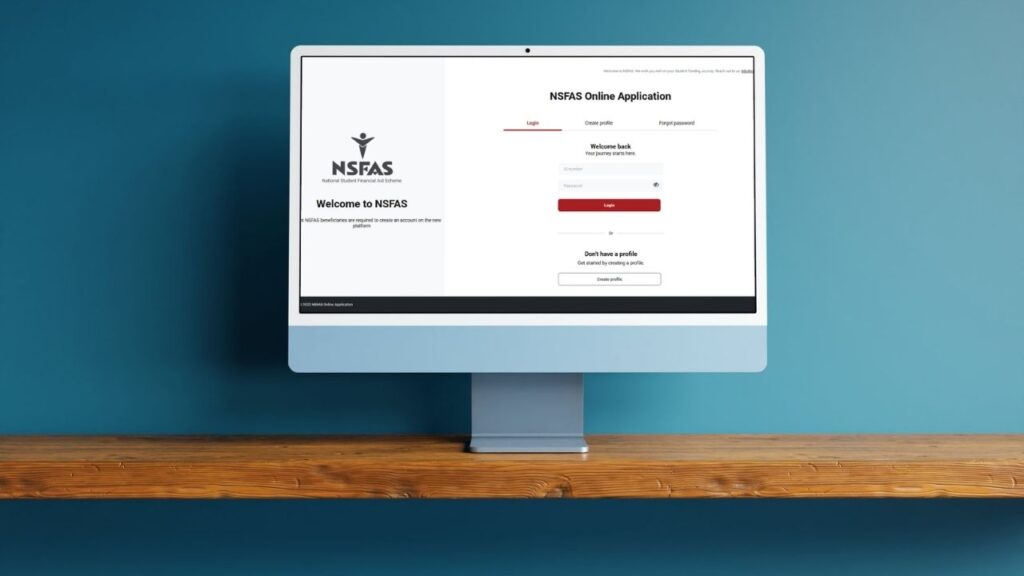
- Sign in with your ID number and password.
- Open Application details.
- Select Tracker to see the progress of your application.
The official 2027 guide shows the Tracker moving through stages such as Submitted Successfully, Filtering, Validation, Evaluation, Funding Eligibility, Awaiting Academic Results, Awaiting Institution Data and Signing of Agreement.
🔐 Use myNSFAS for your actual status. Be cautious with unofficial websites that ask for your ID number, password or other personal information.
Can You Check NSFAS Status Using Your ID Number?
Yes, but your ID number is part of the myNSFAS login process — it is not a standalone public status checker.
Your South African ID number is used as your myNSFAS username. After authentication, you can access your application and Tracker.
So, if you are looking for an NSFAS status check using an ID number, the safe process is:
ID number + myNSFAS login → Application details → Tracker
📌 Already have a myNSFAS account? Use it rather than creating another one. NSFAS warns that duplicate accounts can cause delays and have to be removed.

NSFAS Status Codes Explained: What Each Status Means and What to Do Next
Different NSFAS pages may show the application process at different levels of detail. The 2027 Tracker, for example, breaks processing into stages including Filtering, Validation and Evaluation.
The key question is simpler: does your current status require you to do something?
| Status or stage | What it means | Do you need to act? | What to do next |
|---|---|---|---|
| Application Submitted / Submitted Successfully | Your application has been submitted and received. | Usually no. | Keep your reference number and monitor myNSFAS. |
| Filtering | Your application is moving through an internal processing stage. | Only if myNSFAS requests something. | Check your account for requests and continue monitoring. |
| Verification in Progress / Validation | NSFAS is verifying information. Its official status guidance says details may be checked with Home Affairs, SARS and SASSA. | No, unless a request appears. | Wait and keep checking myNSFAS. |
| Evaluation / Eligibility Assessment | Your application is being assessed against the applicable funding criteria. | Usually no. | Monitor the application and check for requests. |
| Awaiting Documents | A requested document is missing or unreadable. | Yes. | Sign in, identify the request and upload the correct readable document. |
| Funding Eligibility / Funding Eligible | You meet the applicable funding criteria, but the process may not yet be complete. | Usually no immediate action. | Continue monitoring registration and institutional stages. |
| Awaiting Academic Results | The funding process is waiting on academic information. | Not unless a request is shown. | Continue monitoring myNSFAS. |
| Awaiting Institution Data / Registration Confirmation | Institutional or registration information is still required before the process can be finalised. | Usually not. | Monitor myNSFAS and make sure your academic registration process is in order. |
| Signing of Agreement | Your application has reached the agreement stage of the funding process. | Check myNSFAS. | Follow any instructions displayed in your account. |
| Unsuccessful | Your application did not meet the applicable criteria. | Yes. | Read the reason on myNSFAS and check whether you are eligible to appeal. |
⚠️ Funding Eligible does not necessarily mean the entire funding process is finished.
The 2027 Consent Form explains that funding is confirmed and processed after NSFAS receives valid registration costs from a public higher education institution for an approved funded programme.
Always read the information displayed alongside your own status. A request in your account is more important than a generic explanation of that status.
Why Is My NSFAS Status Not Changing?
A status that stays unchanged does not automatically mean your application is stuck or rejected.
NSFAS says assessment continues after the application window closes and outcomes are released in stages.
Depending on where you are in the process, NSFAS may still be:
- verifying information;
- assessing eligibility;
- waiting for academic results;
- waiting for institution or registration data; or
- waiting for a document or information from you.
🔎 First check whether myNSFAS shows an outstanding action.
If there is no request, continue monitoring the Tracker. There is no fixed processing time in the official material provided here, so avoid relying on unofficial promises that a particular status should change within a set number of days.
What to Do When NSFAS Requests Supporting Documents
If your status shows Awaiting Documents, NSFAS says something it requested is missing or unreadable.
Log in to myNSFAS and identify exactly what is being requested before uploading anything.
For document uploads:
- use the document requested for your application;
- upload PDF or JPEG;
- keep each file at 20 MB or less;
- make sure it is clear, valid and readable; and
- check the document before submitting it.
📄 Do not upload unrelated documents simply because they appear on an old NSFAS checklist.
If NSFAS asks for additional information after submission, the 2027 User Guide gives applicants 30 working days to provide it.
After uploading what was requested, continue your NSFAS status check through the Tracker to see how the application progresses.
NSFAS OTP Not Received: How to Fix Login and Verification Problems
An OTP is used when activating a new myNSFAS profile, which is one reason your registered cellphone number and email address need to remain accessible.
If you forgot your password
Use Forgot password on the myNSFAS sign-in screen.
According to NSFAS, a reset link or one-time PIN is sent to the cellphone number and email address registered on your account.
🔐 Never share an OTP, PIN or myNSFAS password with another person.
If your cellphone number has changed
If you can still access your account, sign in and update your contact details in your myNSFAS profile.
NSFAS uses the number on your account for important communications, so keep it current.
If you cannot receive the OTP or access your account
The official materials provided do not give a separate workaround for every OTP failure — for example, losing access to both your account and old contact details.
☎️ In that situation, use an official NSFAS support channel rather than creating another account or using an unofficial service.
Official NSFAS Contact Channels When You Cannot Access myNSFAS
If login, OTP or account problems prevent you from completing an NSFAS status check, contact NSFAS through its official channels.
- ☎️ General/student enquiries: 08000 67327
- ✉️ Email: [email protected]
- 💬 WhatsApp: +27 63 093 5671
- 📱 USSD: 12067327#
- 🌐 Website: nsfas.org.za
Use these channels when an access problem cannot be resolved through myNSFAS itself or when you need clarification about an application issue.
⚠️ Do not share your password or OTP with anyone claiming they can speed up your NSFAS application.
The logic after every status check should be simple: read the status → understand what it means → check whether action is required → act or continue monitoring.
If your result is Unsuccessful, do not stop at the status message. Check the reason shown in myNSFAS and whether you qualify to challenge the decision.
➡️ The next guide explains how to appeal an NSFAS rejection and submit the correct supporting documents.