Advertisements
The DPSA Vacancy Circular can contain hundreds of pages of government vacancies. The key is knowing where to find the latest official edition, how to search it quickly and what to check before applying.
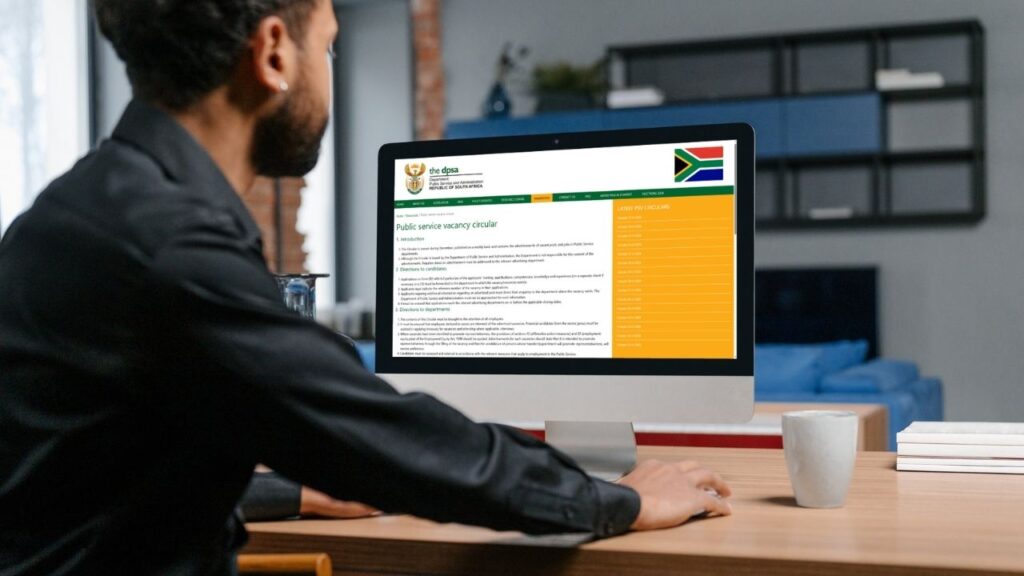
How to Find and Download the Latest DPSA Vacancy Circular
The safest starting point is the official Department of Public Service and Administration (DPSA) website:
👉 DPSA Public Service Vacancy Circular
The DPSA states that the Public Service Vacancy Circular is published weekly, except during December, and contains vacant posts advertised by Public Service departments.
To find the latest edition:
- Open the official DPSA Circular page.
- Look for the most recent Circular.
- Check the Circular number.
- Check the posting or publication date.
- Open the full document or the relevant department section.
Always check the number and date together. Older Circulars can remain online and continue appearing in Google results.
⚠️ You should also verify the website address. Official DPSA pages and documents use the dpsa.gov.za domain.
How do you know you have the correct Circular?
The document itself should clearly identify its publication number and date.
For example, Circular 35 of 2026 identifies itself on its first page as Public Service Vacancy Circular — Publication No 35 of 2026, issued on 2 October 2026.
That is only an example. Always check the DPSA website for the newest Circular, as new editions are published regularly.
You do not necessarily have to download the entire PDF either. The DPSA can provide links to individual National Departments and Provincial Administrations included in a Circular.
💡 Already know which department interests you? Opening its individual section may be faster than downloading and searching the full document.
How to Find the Right Vacancy Inside the DPSA Circular
A DPSA Vacancy Circular can be long. Circular 35, for example, runs to 262 pages. Fortunately, you do not need to read every page.
Start with the index
The index separates vacancies into National Departments and Provincial Administrations and shows where each section appears.
In Circular 35, for example:
- Agriculture appears in Annexure A, pages 4–8.
- Home Affairs appears in Annexure H, pages 55–56.
- Water and Sanitation appears in Annexure P, pages 102–114.
- Western Cape appears in Annexure V, pages 161–262.
📢 The departments and provinces included can change from one Circular to another. Do not assume that every government department or province will appear every week.
Search instead of scrolling
If you open the full PDF, use:
Windows: Ctrl + F
Mac: Command + F
📲 On a phone, look for Find, Search or Find in document in your browser or PDF reader.
Good terms to search for include:
- department name;
- job title;
- province, city or town;
- reference number;
- qualification.
For example, searching Administration Clerk can take you directly to relevant adverts instead of forcing you to scan hundreds of pages.
Narrow down the vacancies
When you find a possible job, check four things immediately:
Department: Is this an organisation you want to work for?
Centre/location: Where is the position actually based?
Job title: Does the role match your skills or career goals?
Salary and requirements: Does the level suit you, and do you meet the minimum criteria?
💡 This quick check helps you eliminate unsuitable vacancies before spending time reading every detail.

How to Read a DPSA Vacancy Advert Correctly
Once you find a promising position, read the complete advert. Do not decide whether to apply based on the job title alone.
Here are the main fields you are likely to encounter:
Post/title: The position being advertised.
Salary: The remuneration attached to the job. Depending on the advert, this may be an annual amount, salary range, salary level, all-inclusive package or stipend.
Centre: The location where the position is based.
Requirements: Qualifications, experience and other criteria needed for the job. These may include an NQF level, professional registration, technical skills or a driving licence.
Duties: What the successful candidate will actually be expected to do.
Enquiries: Who to contact if you need information about the vacancy.
Reference number: The identifier for the particular vacancy.
Closing date: The deadline for the department to receive your application.
Applications: Where and how you must submit it.
The reference number matters
The DPSA’s general directions state that applicants must indicate the vacancy reference number in their applications.
📌 Copy it exactly as it appears.
If you are tracking several vacancies, record the reference number alongside the job title and department so you do not mix up applications.
Do not assume every vacancy has the same deadline
Jobs appearing in the same Circular can have different closing dates and times.
Circular 35 demonstrates this clearly: its adverts include different closing dates depending on the department.
📅 Always use the closing date stated for the vacancy or department you are checking.
Read the department’s notes too
Some important instructions do not appear inside each individual job advert. Instead, they appear at the beginning of the department’s section.
These notes can explain:
- which application method is accepted;
- which documents are required;
- how multiple applications should be submitted;
- file format or size restrictions;
- other conditions that could affect your application.
For example, the Department of Agriculture section in Circular 35 provides general application instructions before listing its individual vacancies.
⚠️ Read both the vacancy and the instructions for its department.
It is also important to know who is responsible for the information. The DPSA publishes the Circular, but the advertising department handles enquiries about its vacancy.
The DPSA specifically instructs candidates to direct requests for additional information to the relevant department.
What to Check Before Applying for a Vacancy
Found a job that interests you? Before preparing the application, run through a final check.
Make sure you have confirmed:
- Qualifications: Do you have the qualification and NQF level requested?
- Experience: Do you have the required amount and type of experience?
- Location: Are you able and willing to work at the stated centre?
- Specific requirements: Is a driving licence, registration or particular skill required?
- Reference number: Have you copied it correctly?
- Closing date and time: Can you submit before the deadline?
- Application method: Does the advert require email, an online system, hand delivery, post or another method?
The last point deserves particular attention.
🚨 There is no single application channel for every vacancy in the Circular. Departments can use different recruitment methods.
The official Circular, for example, contains vacancies submitted through email, physical delivery and dedicated e-Recruitment systems. The Department of Water and Sanitation directs applicants to its online recruitment system, while other departments provide different channels.
Follow the instructions for your specific vacancy. Do not copy an email address or application method from another government job.
What about the Z83?
The general directions in the Circular tell prospective applicants to use the new Z83 effective from 1 January 2021. They also state that applications must reach the relevant advertising department on or before the applicable closing date.
However, individual adverts and departments can provide more specific submission instructions. Read them carefully before sending anything.
Check for corrections before you apply
There is one final step that is easy to miss: look for amendments, errata and withdrawals.
A vacancy published in an earlier Circular can later be corrected or withdrawn.
Circular 35, for example, contains amendments affecting vacancies from previous Circulars. These include extended closing dates, corrected application information and a corrected salary notch. It also identifies withdrawn posts.
📌 Saved a vacancy earlier? Check the official source again before submitting your application.
What to Do If You Cannot Access or Download the Circular
If the PDF will not load, start again from the official DPSA Circular page.
From there, try opening the relevant Circular and then the individual department or provincial section instead of the complete document.
On mobile, you can also try opening the PDF in your browser or PDF reader and using its built-in search function.
If you use Google to locate a DPSA Vacancy Circular, remember that search results may include:
- older Circulars;
- third-party job websites;
- social media posts;
- copies of official documents.
Use search engines to find information, but use the DPSA source to verify it.
The DPSA Circular page also provides an official DPSA Vacancy Circular WhatsApp channel as another way to follow vacancy information.
🚨 Be careful with reposted vacancies. Before applying, return to the official source and confirm the job title, reference number, requirements, closing date and application instructions.
Once you know how to find the current Circular, locate a suitable vacancy and understand its requirements, you are ready for the next part of the process: completing the Z83 application form correctly.