Advertisements
Submitting your UIF application does not mean the process is finished. A UIF status check helps you see whether your claim is still being assessed, whether action is required and whether a payment has actually been processed.
How to Check Your UIF Claim Status Online
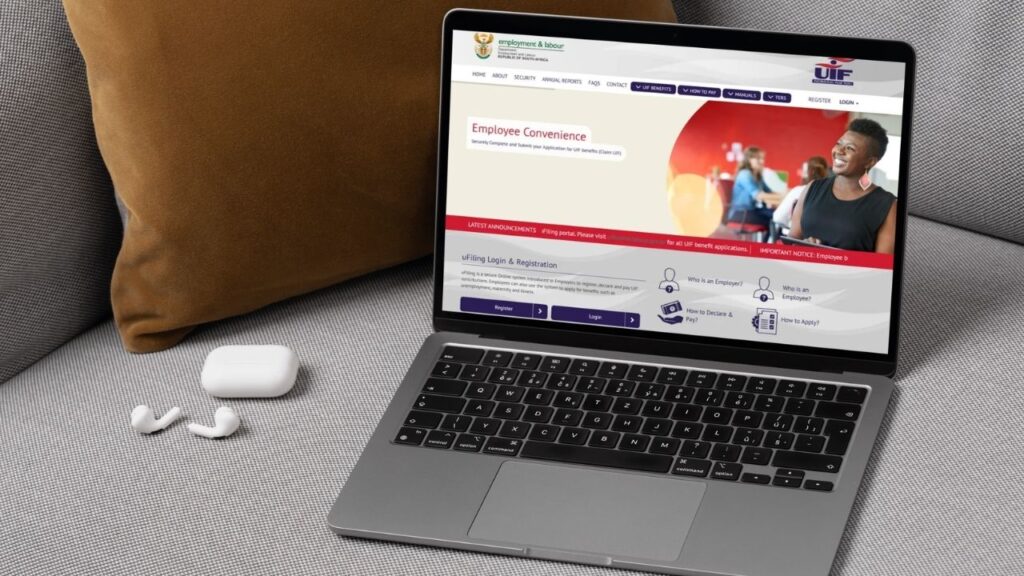
The main online channel for checking your claim is the official uFiling portal.
To check your UIF claim status:
- Log in to uFiling using your registered account details.
- Go to the area containing your benefit applications, claims or payment information.
- Locate the claim you previously submitted.
- Open the claim to review its current status and any available updates.
- Check whether there are outstanding actions, document requests or payment information associated with it.
- Save important status or reference information in case you need to follow up.
You may need your ID number, claim/reference information and uFiling login details, depending on the service you are using.
🔎 Do not look only at whether the claim has changed to “Approved”. Check the information associated with it as well. There may still be another action required before a payment moves forward.
It is also useful to keep the confirmation email or SMS you received when submitting your claim. Screenshots of important updates can help you keep a record of how the application has progressed.
What Does Your UIF Claim Status Mean?
Status wording can vary depending on the claim and the stage of processing. The important thing is to understand what the status tells you and whether you need to act.
👉 Received or Submitted: Your application has been received. This does not mean it has been approved yet.
What to do: Check that there are no requests for additional documents or information.
👉 Pending or Processing: Your claim is still being assessed. UIF may be checking your personal details, employment history, employer information or supporting documents.
What to do: Do not automatically submit a second application. First check whether any information or documents are outstanding.
👉 Approved: Your claim has passed the approval stage.
What to do: Look for the next instruction associated with the claim, including any payment-related action that may be required. Approved does not necessarily mean the money has already been sent to your bank account.
👉 Payment processed or Paid: A payment has moved through the payment stage.
What to do: Check the payment information available for the claim and your bank account. Remember that processing a payment and the money reflecting in your account are not necessarily the same event.
👉 Rejected: Your claim has not been approved.
What to do: Check the reason shown or communicated to you before taking further action. A rejection can require a different response from a claim that is simply still pending.
The most important distinction is simple: Pending, Approved and Paid do not mean the same thing.

How to Submit and Track a UIF Request for Payment
An approved benefit may still require further payment-related actions. This is why you should continue checking your uFiling account after the initial claim has been accepted.
Log in through the uFiling portal and open the relevant benefit or claim. Check for any payment or continuation action associated with it and follow the instructions displayed for your application.
When submitting a request or completing a continuation step:
- confirm that you are working with the correct claim;
- check your personal and banking details;
- answer the required questions accurately;
- submit any information requested; and
- save the confirmation or reference details.
📌 Never confirm that you are still unemployed if you have already returned to work. Your circumstances must be reported accurately when UIF asks you to confirm them.
After submitting a payment-related request, return to your account to check whether its status changes. A submitted request is not the same as a processed payment.
The May 2026 UIF guidance also stresses the importance of keeping copies of claim documents, which can be useful if you later need to follow up on the application or payment.
How to Check UIF Payment Status and Balance
Your UIF status check and your payment check answer two related but different questions:
Claim status: Has my application been assessed and approved?
Payment status: Has money associated with my approved benefit actually moved through the payment process?
That distinction is important. An approved claim should not automatically be read as confirmation that payment has reached your bank account.
When reviewing your claim online, look for available information about:
- payment requests;
- processed payments;
- payment history;
- amounts shown for the claim;
- outstanding actions; and
- any available balance or benefit information.
💰 Check the payment history rather than relying only on the overall claim status. This can give you a clearer picture of whether a particular payment has progressed.
Your bank account is also useful for confirming whether funds have actually reflected, but a missing deposit does not by itself tell you why a payment has not arrived. The UIF status may show that further processing or action is still required.
Need help checking your claim?
If uFiling does not give you enough information, the official uFiling contact page lists these support channels:
- ☎️ UIF support: 0800 030 007
- ✉️ UIF services support: [email protected]
- 💻 uFiling website support: [email protected]
- 🌐 uFiling Contact Us
When contacting support, have your ID and relevant claim/reference details ready. Use an email address you can access and check for replies.
How Long Does UIF Take to Pay After Approval?
Approval is an important step, but it is not the same as payment.
After approval, your claim may still move through payment-related steps before funds are processed. Depending on the benefit and your claim, this can include a payment or continuation request and verification of information.
There are estimates online for how long UIF payments should take, but they vary considerably. It is safer not to treat a particular number of days as a guaranteed payment date.
Instead, check three things:
- Is the claim approved?
- Is there an outstanding payment or continuation action?
- Does the payment information show that a payment has actually been processed?
⏳ A delay deserves closer attention when the status stops progressing and there is no clear outstanding action for you to complete. It is also worth investigating if the system shows a problem with documents, employer information or banking details.
Avoid submitting duplicate claims simply because payment has not arrived. Check the existing claim first and use the official support channels when the status does not explain what is happening.
A useful way to think about the process is:
Claim pending → Claim approved → Required payment action, where applicable → Payment processed → Funds reflect
Your UIF status check tells you where you are in that sequence. If the claim is stuck, rejected, shows an error or an expected payment does not progress, the next step is to identify the cause and work out how to fix the problem.