Advertisements
A refund on your ITA34 does not always mean the money is ready to be paid. A SARS refund delay can be caused by unverified banking details, outstanding returns or tax debt, or because SARS has selected your return for verification or audit. Finding the exact reason should be your first step.
Why Is Your SARS Tax Refund Delayed? Check These Reasons First
If your assessment shows a refund but the money has not arrived, check for these common blocks:
- 🏦 Incorrect or unverified banking details: SARS may need to validate your bank account before releasing the money.
- 📄 Verification: SARS may be checking information in your return against supporting documents or third-party data.
- 🔎 Audit: A more extensive examination can hold the refund until the audit is complete.
- 📋 Outstanding returns: Your refund will not be paid until outstanding tax returns have been submitted.
- 💳 Outstanding tax debt: SARS may use some or all of the refund to settle existing tax debt before releasing any remaining credit.
- ⏳ Processing: If your assessment is recent, the refund may still be within the normal processing period.
There is also a special rule for very small refunds: amounts below R100 are not paid immediately and can roll over to the next tax year.
How to check your SARS refund status
You do not necessarily need to call SARS. There are several ways to check what is happening.
For the most detailed information, log in to SARS eFiling. Your ITA34 (Notice of Assessment) shows the assessment result and relevant payment information.
A minus sign (–) before the assessed amount means SARS owes you money. A positive amount means you owe SARS.
You can also check your refund through:
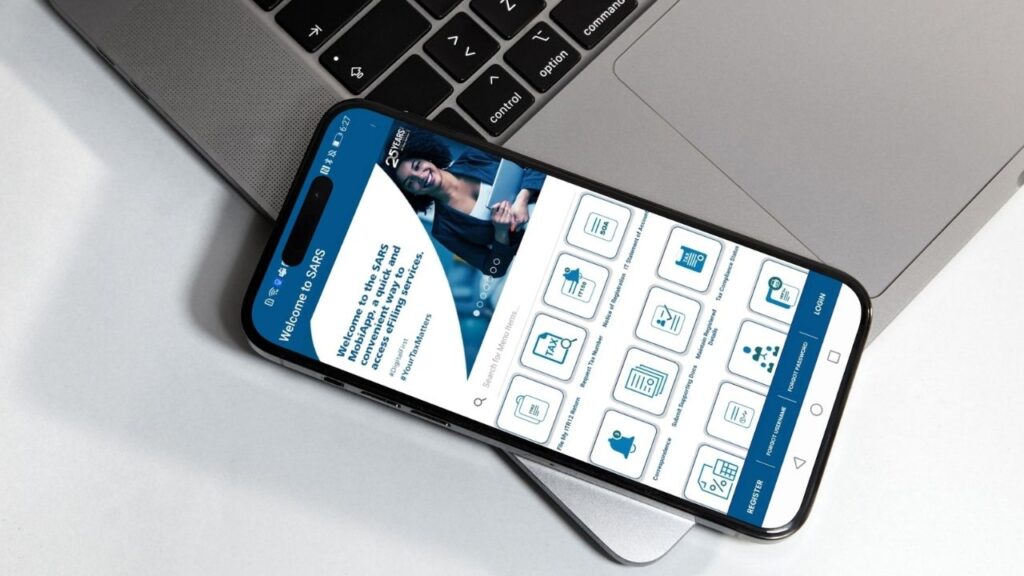
- SARS MobiApp: select Refund Status from the Home Screen.
- WhatsApp: save 0800 11 7277, send “Hi” or “Hello” and select Refund Status.
- USSD: dial *134*7277# and follow the prompts.
- SARS Tax Return Status Dashboard: another online option for checking the status of a return.
💡 If your ITA34 shows a refund but you received less than expected — or nothing at all — check your Statement of Account (SOA) as well. It can show existing amounts, penalties or interest that may have affected the refund.
Download the app “SARS Mobile eFiling” from Google Play or the Apple App Store.
SARS Verification vs Audit: What Is the Difference?
Verification and audit are not the same process.
👉 A verification checks information you provided in a return or declaration. SARS can compare it with third-party information, financial records and supporting documents to establish whether the return is accurate.
👉 An audit is more extensive. SARS can examine your financial statements, accounting records, supporting documents and other information to determine whether your tax position complies with tax law.
Any taxpayer can be selected for either process.

What happens during verification?
SARS sends an official verification letter telling you:
- what documents are required;
- when you must provide them; and
- whether a Request for Correction (RFC) is an option if information in the original return needs to be changed.
SARS aims to complete verification within 21 business days after you submit all the requested documents. More information can still be requested during the process.
Your refund remains on hold until verification is complete.
🔎 Verification can end in three main ways: SARS finds no problem, issues a revised assessment because it identifies a discrepancy, or refers the case for audit.
What happens during an audit?
An audit goes deeper and can take considerably longer.
A Referral for Audit Letter does not mean the audit has started yet. The process officially begins when SARS issues a Notification of Audit showing that the case has been allocated to an auditor.
The letter sets out the initial scope and documents required. SARS may request further information as the audit progresses.
⏳ An audit can take 30 business days to 12 months, or longer depending on its complexity, transaction volumes and taxpayer cooperation.
SARS prioritises finalising an audit within 90 business days from receiving the requested audit documents, but that should not be treated as a guaranteed maximum.
If a refund is due, it remains on hold until the audit is concluded and the applicable refund validations are passed.
How to Submit Supporting Documents Requested by SARS
If SARS requests documents, start with the letter you received. It tells you what SARS needs and gives you the applicable deadline.
For eFilers, the process is straightforward:
- Log in to SARS eFiling.
- Open the verification or audit request.
- Use the upload link made available by SARS.
- Attach all the requested documents.
- Check that the correct files have been uploaded.
- Click Submit.
⚠️ Do not forget the final Submit step. Uploading files alone does not send them to SARS. Once you submit, the upload link closes, so check everything before doing so.
SARS accepts .pdf, .doc, .docx, .xls, .xlsx, .jpg and .gif files. Each document can be up to 5 MB, with a maximum of 20 documents.
Depending on the process, supporting documents can also be submitted through the SARS Online Query System or at a SARS branch.
When submitting verification documents outside eFiling, include the verification letter. Its unique barcode links the documents to your tax records.
📌 Respond as soon as possible rather than waiting until the deadline. Failing to provide requested information can result in SARS making a revised assessment based on the information available to it.
How to Update and Verify Your Bank Details to Release a Refund
SARS pays refunds into the bank account registered and verified for the taxpayer. Incorrect or unverified banking information can therefore stop payment even when your assessment shows a refund.
To check or update your details on eFiling:
Maintain SARS Registered Details → My Bank Accounts
Review the account information carefully and update it if necessary.
🏦 If your banking details are selected for verification, the process can take up to 21 business days from the date SARS receives all required supporting documents.
Once the bank details validation is completed, the refund should be paid within 72 hours.
It is particularly worth checking your bank details if you:
- have changed banks or accounts;
- updated your personal information;
- received confirmation of a refund but no payment; or
- have been told that bank verification is required.
Do not repeatedly change correct banking details simply because a refund has not arrived. First establish whether banking verification is actually the reason for the delay.
How Long Does a SARS Refund Take After Verification or Audit?
For a straightforward refund without outstanding requirements, SARS aims to pay 9 out of 10 refunds within 72 hours.
But a SARS refund delay caused by verification, audit or bank validation has a different timeline.
Bank details verification: up to 21 business days after all required supporting documents are received. Once validation is complete, the refund should be paid within 72 hours.
Income Tax return verification: up to 21 business days after SARS receives all required supporting documents. The refund should then be paid within 72 hours.
Multiple tax years selected for audit verification: the process can take up to 90 business days from the date SARS receives all required documents for all the years being verified.
Audit: the process can take from 30 business days to 12 months, and potentially longer for complex cases. SARS prioritises finalisation within 90 business days after receiving the requested audit documents.
📌 These periods generally depend on SARS having received all the required information in a complete and correct form. If SARS asks for additional documents, the process may take longer.
After an audit is completed, any refund due is paid once the remaining refund validations have been satisfied.
What to Do If Your SARS Refund Is Still Not Paid
If the expected payment date has passed, do not start by assuming SARS simply forgot to pay you. Work through the possible blocks first.
A useful order is:
- Check your ITA34 to confirm that SARS actually owes you a refund.
- Check your refund status through eFiling, the MobiApp, WhatsApp or USSD.
- Open SARS Correspondence and look for verification, audit or supporting-document requests.
- Check your banking details and whether bank verification is pending.
- Submit any outstanding tax returns.
- Check your Statement of Account for outstanding tax debt or amounts set off against the refund.
- Check the applicable processing period if verification or audit is already underway.
📄 Keep monitoring your eFiling correspondence even after submitting documents. SARS can request additional information during verification or audit.
If you have completed everything required and the relevant processing period has passed, contact the SARS Contact Centre on 0800 00 7277. If you are undergoing an audit, use the contact details of the SARS auditor listed in your Notification of Audit where appropriate.
The key to resolving a SARS refund delay is identifying the block before trying to fix it. A missing return requires a different response from bank verification, and an audit requires a different response from ordinary processing.
Outstanding returns, tax debt and other unresolved obligations can also affect more than a refund. Once you have dealt with the immediate payment issue, it is worth checking whether there are other SARS compliance issues affecting your Tax Compliance Status.