Advertisements
Locked out of eFiling or cannot find your tax number? SARS provides several ways to register, recover your credentials and regain access to key tax services. Here is what to do depending on the problem you are facing.
How to Register for SARS eFiling Online
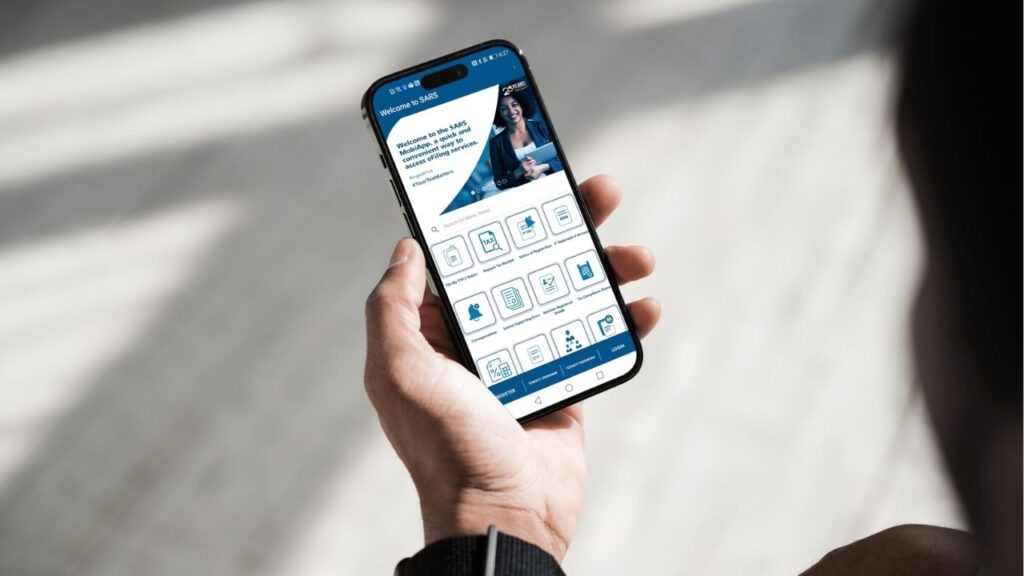
If you are a registered taxpayer but do not have an eFiling profile, you can register online through the SARS eFiling website or use the SARS MobiApp.
When learning how to Register for SARS eFiling, the main thing to know is that SARS must verify your identity before giving you access to your tax profile.
To register online:
- Open SARS eFiling and select Register.
- Complete your personal details.
- Provide a valid email address and cellphone number.
- Create a username and password.
- Complete any identity verification requested by SARS.
- Enter the One-Time Pin (OTP) sent to your preferred security contact method to complete registration.
Your email address and cellphone number become your security contact details and are used for authentication and OTPs. If either is already actively being used by another eFiler, you may need to provide alternative contact details or contact SARS for assistance.
Your password must have at least eight characters and include an uppercase letter, lowercase letter, number and special character. Avoid personal information and simple repetitive or sequential characters.
📲 The SARS Mobile and eFiling are connected, so credentials created through a successful MobiApp registration can also be used to access eFiling. You can download it from:
You may need biometric verification
Individuals registering with a valid South African ID may be required to complete biometric facial recognition.
If you are using the eFiling website, you will need a camera-enabled device. You can also use a smartphone with the SARS MobiApp.
If biometric verification is unsuccessful, SARS may:
- ask you to try again;
- request supporting documents;
- create a verification case; or
- require you to book an appointment for assistance.
If supporting documents are requested, you will receive a case number and have 21 business days to upload them. Once your details have been verified, you can complete registration using your username and password and authenticate the process with an OTP.
💡 Good to know: If you are not yet registered for personal income tax and have a valid South African ID number, SARS can automatically issue you a personal income tax number when you register as a new eFiler.
How to Reset Your SARS eFiling Username or Password
If you are already registered, do not create another profile simply because you have forgotten your login details. eFiling has separate recovery options for usernames and passwords.
If you forgot your password
From the eFiling login screen:
- Select Forgot Password.
- Enter your username.
- Choose email or cellphone to receive your OTP.
- Enter the OTP.
- Create and confirm your new password.
- Submit the change.
Once the process is successful, eFiling will confirm that your password has been changed.
If you forgot your username
Select Forgot Your Username and provide the requested details, which include:
- cellphone number;
- email address;
- South African citizenship status;
- ID number, or passport number if you are not a South African citizen; and
- tax number, if you have one.
Choose where you want to receive your OTP and complete the authentication. Your username will then be displayed.
You will also have the option to set a new password. On the MobiApp, you can close this step if you only wanted to retrieve your username.
📲 Both recovery functions are available through the SARS MobiApp as well.
What if you have old or duplicate eFiling profiles?
People who had multiple eFiling logins linked to the same ID or passport before 1 July 2019 may have a primary login with the other profiles accessible as portfolios.
Once a primary login has been selected, that is the login you should use to access eFiling.
If SARS recognises you as an existing eFiler when you try to register, use your existing profile or recover its credentials instead of trying to create another login.
What to Do If You No Longer Have Access to Your Registered Email or Phone
Losing access to your registered email address or cellphone number can make ordinary password recovery difficult because SARS uses these details to send OTPs.
If you are a registered eFiler and South African citizen, you can update your security contact details without logging in first:
- Open the eFiling login page.
- Select Update Contact Details.
- Enter your first name, surname and South African ID number.
- Complete biometric facial recognition.
- Enter your new email address and cellphone number.
- Choose your preferred contact method.
- Enter the OTP sent to your new contact details.
- Submit the update.
The same process can be started through the MobiApp by selecting Forgot Username and then Need to update Contact Details? Click here.
⚠️ Important: This self-service option is limited to registered eFilers who are South African citizens and successfully pass biometric verification.
If you are not a South African citizen and have forgotten your security contact details, or if biometric verification fails, contact the SARS Contact Centre or book an appointment.
Also, do not confuse Security Contact Details with Entity Contact Details. Security details are used for authentication and OTPs, while entity contact details are used for tax correspondence such as notices of assessment.
How to Find or Recover Your SARS Tax Number
If you already have a Tax Reference Number (TRN) but cannot remember it, you do not need to register for a new one. SARS provides several recovery methods.
Use Lwazi
Ask Lwazi, the SARS AI Assistant, to retrieve your Tax Reference Number. You will need to provide information so SARS can authenticate you.
Use SARS Online Query
Use the official SARS “What’s My Tax Number?” service.
Make sure the personal details you provide match the information held by SARS.
Request it through WhatsApp
Save the SARS WhatsApp number 0800 11 7277 and start a conversation.
Then:
- Open the tax services menu.
- Select Tax Reference number.
- Provide the requested information for authentication.
- Send your ID or passport number when requested.
- Retrieve your tax number from the Notice of Registration (IT150) sent to your email address.
Request it by SMS
Send an SMS to 47277 using this format:
TRN [space] ID number/Passport number/Asylum Seeker number
Use USSD
Dial *134*7277# and:
- select the service you need;
- provide your ID, passport or asylum seeker number;
- complete the SARS verification process; and
- view the response after successful verification.
📌 Remember: SARS will not give your tax number to another person unless that person is your tax practitioner or has power of attorney to manage your tax affairs.
If you have never received a tax number, the process is different. You can register for SARS eFiling. Eligible individuals with a valid South African ID may be automatically registered for personal income tax and issued with a tax number.
How to Download Your SARS Tax Number Confirmation Letter
If an employer or another organisation asks for proof of your income tax registration, you can obtain your Notice of Registration (IT150).
Through eFiling
After logging in and linking your tax number to your profile, go to:
Home → SARS Registered Details → Notice of Registration → Request New
The document provides proof of your income tax number.
Through the SARS MobiApp
After logging in:
My Services → Notice of Registration (IT150)
Your Tax Reference Number appears on the notice, and you can use the download option to save the document to your device.
This means the IT150 can help both when you cannot remember your tax number and when you need official proof of it.
Other Ways to Access SARS Services If You Cannot Use eFiling
eFiling is not the only way to deal with SARS. Other official channels include the SARS MobiApp, SMS, WhatsApp, USSD, email, Lwazi, SARS Online Query, Contact Centre, virtual appointments and SARS branches.
Which one you should use depends on the problem. For example:
- Lost tax number: Lwazi, Online Query, WhatsApp, SMS or USSD.
- Lost security contact details: use Update Contact Details when eligible, or contact SARS if you cannot complete the process.
- Need your IT150: use the MobiApp or eFiling.
- Cannot resolve the issue digitally: contact SARS or book an appointment.
For the complete list of channels and access to each service, use the SARS Contact Us page.
The SARS Contact Centre can also be reached on 0800 00 SARS (7277) from within South Africa. From outside South Africa, call +27 11 602 2093 between 08:00 and 16:00 South African time.
Once you know how to Register for SARS eFiling or have recovered your existing profile, you can move on to checking your tax position — including whether you need to file an income tax return or whether SARS has issued an Auto Assessment.